Caffeine
Caffeine is a tiny free Windows utility from Zhorn Software that keeps your computer awake and stops the screen from locking or sleeping.
306.0 KB

GS Auto Clicker is a tiny free Windows program from goldensoft that clicks the mouse automatically at a set interval, started and stopped with a hotkey.
Average 0.0 · ratings: 0
Thank you! Your rating is saved; you can change it. Could not save the rating. Please try again later. Too many ratings from your network today. Please try again tomorrow. The average appears after 5 ratings.
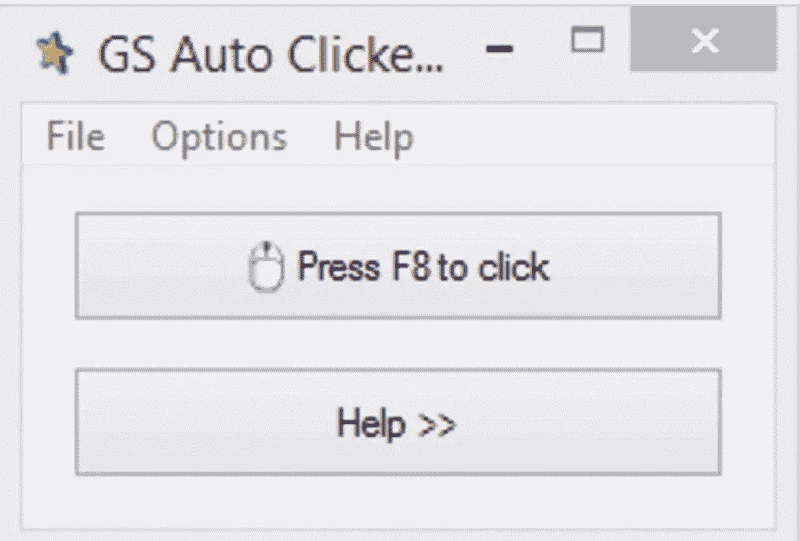
GS Auto Clicker 3.1.4 is a small free program for Windows from goldensoft that clicks the mouse for you. You download GS Auto Clicker when a task needs the same click repeated many times, such as in idle games, form testing or repetitive work in an old program.
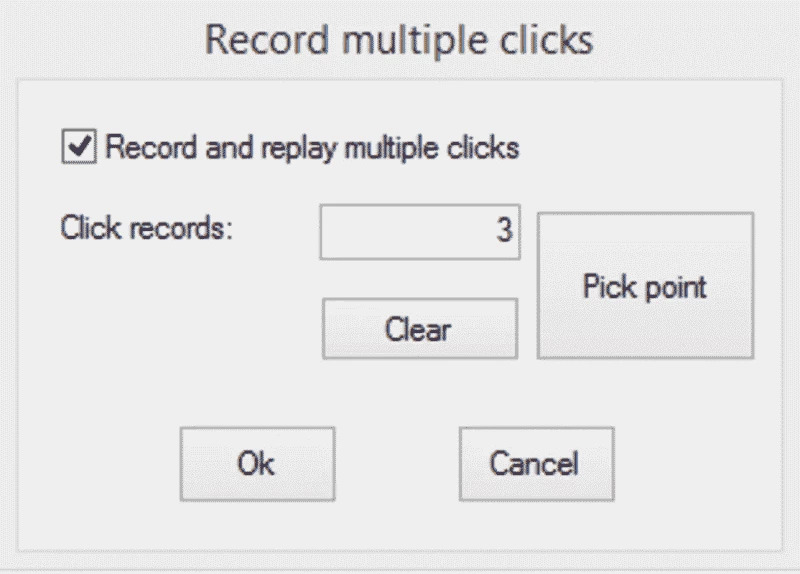
The program has a deliberately simple window. You choose which mouse button to press, single or double click, how long to wait between clicks and whether to repeat until stopped or a fixed number of times. Then you place the cursor where you want the clicks and press the hotkey to start; pressing it again stops the clicker. An options menu lets you record a sequence of clicks at different screen positions, which is useful when a task needs several buttons in turn. Because it is so small and needs no installation in its portable form, it is easy to keep on a USB stick. Gamers use it for clicker and idle games, testers use it to repeat actions in software under test, and office users sometimes use it to get through dialogs in old programs that have no batch mode. It does not type text or read the screen, so anything more complex needs a real automation tool.
GS Auto Clicker runs on Windows and needs no special hardware. It uses almost no memory while waiting between clicks.
The program itself is harmless when downloaded from goldensoft.org, although some antivirus tools flag automation software as potentially unwanted. The bigger issue is fair use: many online games forbid automated input, and accounts can be banned for it. Use clickers only where the rules allow them.
Start with a longer interval and shorten it only if needed: very fast clicking can freeze a slow program or register as a double click. Before a long run, test the setup for a few seconds and make sure you remember the stop hotkey.
GS Auto Clicker is freeware.
Other automation tools on our site are OP Auto Clicker and Auto Key Presser for keyboard input. Caffeine keeps a PC awake without clicking.
Caffeine is a tiny free Windows utility from Zhorn Software that keeps your computer awake and stops the screen from locking or sleeping.
Windows 10 Update Assistant is a free Microsoft tool that updates a Windows 10 PC to the latest feature update without waiting for Windows Update.

Mem Reduct is a tiny open-source Windows utility by Henry++ that shows memory usage in the tray and frees RAM on demand or automatically.

Advanced SystemCare Free is a Windows optimisation suite from IObit that cleans junk files, manages startup items and monitors resource use.

MSI Kombustor is a free graphics card stress test and benchmark from MSI, used together with MSI Afterburner to check stability.

CCleaner is Piriform's utility suite for removing temporary files and cleaning up Windows. The free edition covers basic cleaning.
Custom Resolution Utility (CRU) is a tiny free Windows tool by ToastyX for adding custom resolutions and refresh rates to monitors.

NZXT CAM is NZXT's free Windows app for its PC hardware, used to keep an eye on the computer and manage compatible NZXT components.